 endwhile
YouTube
What do you want to watch?
Free Chrome extension · YouTube, Instagram, Reddit
Endwhile removes the endless surfaces from all three, and leaves the parts you actually opened them for. Search works. Videos play. Messages arrive. Threads open.
No account. No sign-up. Nothing leaves your browser. Remove it in one click.
YouTube
What do you want to watch?
Instagram, without the scroll
Reddit, without the feed
What it blocks
Site blockers take away the useful parts too, so they get switched off. Endwhile removes only the endless parts, and every one of them is its own switch.
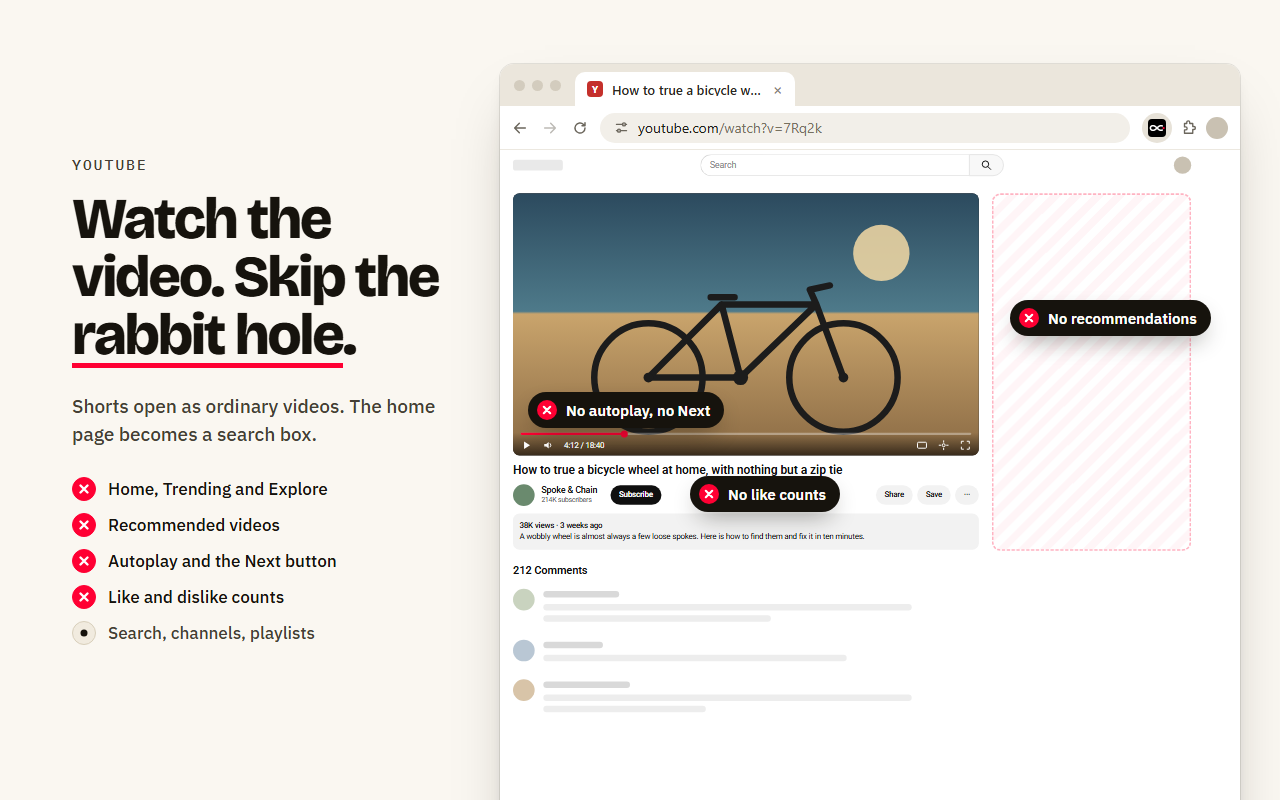
A Short opens as an ordinary video, with no swipe feed behind it. Shorts shelves disappear from search and channels.
No sidebar of next videos, no end screens, no autoplay, no Next button. The home page becomes a search box.
Like and dislike counts go, and comments can go too. Subscriptions, history and playlists stay.
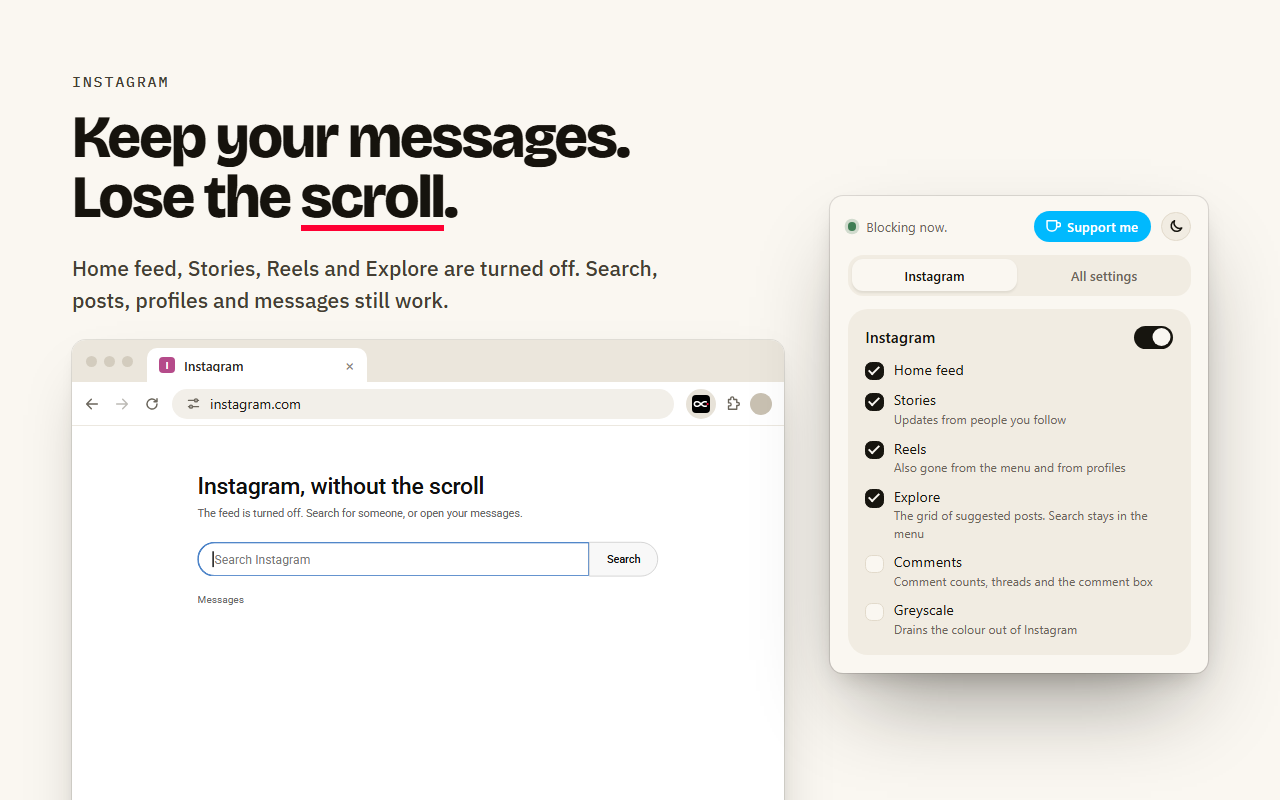
The home feed, Stories, Reels and the Explore grid are turned off. Search, posts, profiles and DMs still work.
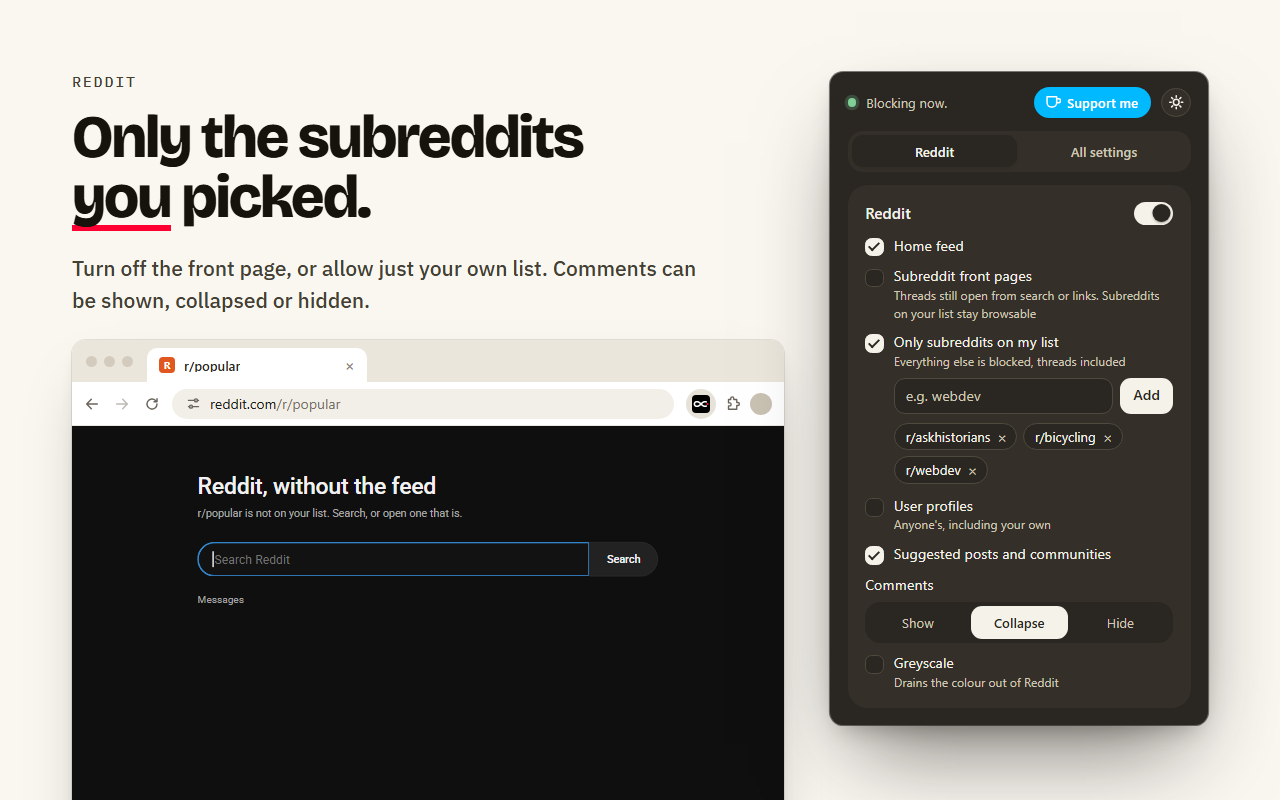
The front page and suggested posts are gone. Allow only the subreddits on your own list, and collapse or hide comments.
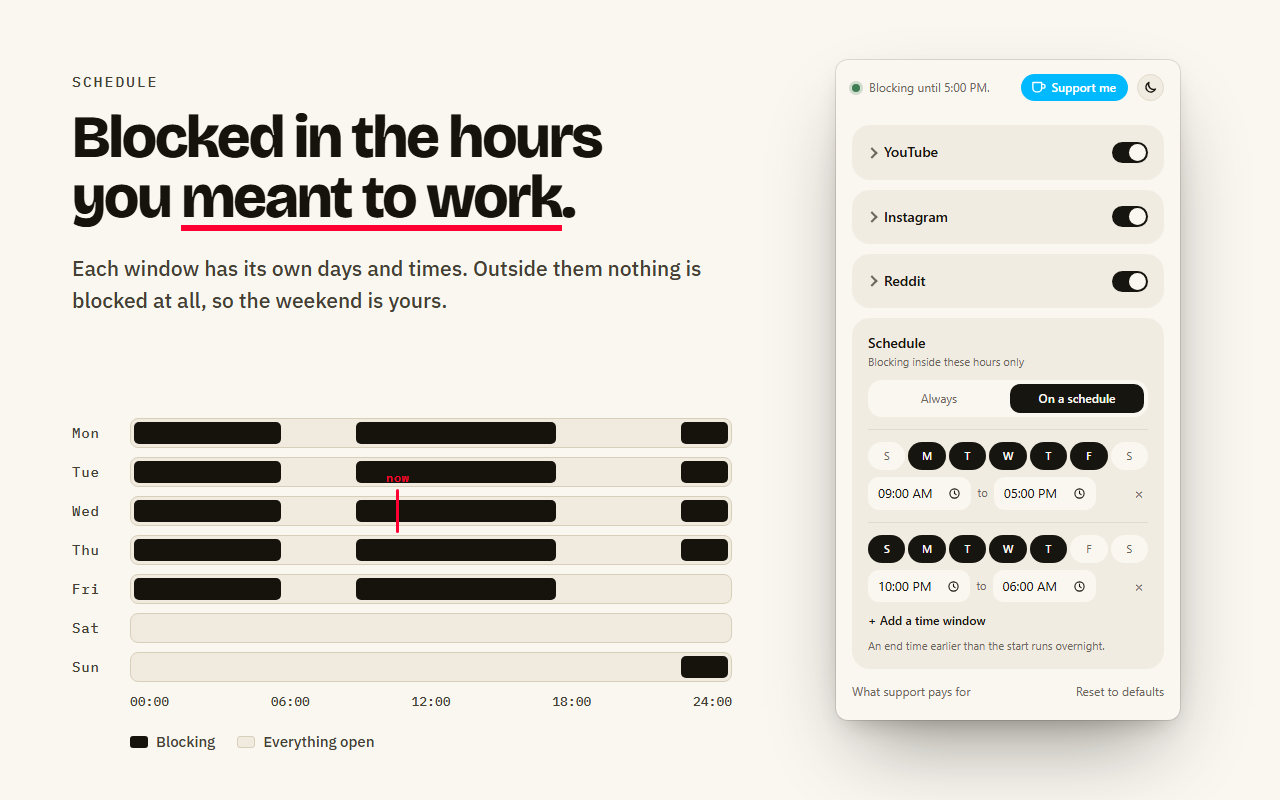
Block during work or study hours, or late at night, and nothing outside them. Greyscale mode drains the colour out of any of the three.
See it
The numbers, with sources
Every figure below is linked to the study or report it came from. Where a number is arithmetic on someone else's figure, the arithmetic is shown.
18h 36m
The average across all internet users. Multiply by 52 and it is 40 days a year, whole days, not working days. The same report puts online media at 29% of waking life.
GWI data, in DataReportal's Digital 2026 Global Overview Report25m 26s
Measured over 700 hours of observing information workers. And only when the work was picked up the same day at all, which happened 77% of the time. People passed through 2.26 other tasks before returning.
Mark, González & Harris, CHI 200511m 4s
How long workers stayed with a single piece of work before being interrupted or moving on. 57% of those stretches were cut short rather than finished.
Mark, González & Harris, CHI 2005Faster, worse
Interrupted people finished the task sooner, not later. They compensated by working faster, and paid for it in significantly higher stress, frustration, time pressure and effort.
Mark, Gudith & Klocke, CHI 2008Worth being straight about the join: the interruption studies measured office work, not feeds. They tell you what an interruption costs once it happens. What a feed adds is volume, and an interruption you administer to yourself.
Now your numbers
The slider starts at that global average. Your phone already counts the real figure for you, so open Screen Time or Digital Wellbeing, add up these three apps, and drag it to what it actually says.
Waking hours taken as 16 a day. A year is 365 days. Days below are whole 24-hour days, not working days.
The first slider is the whole bill, 40.3 days a year at that rate. The second is the part you would stand behind if someone asked. Endwhile is not aimed at the part you chose. It is aimed at the remainder, the hours that were taken without the question ever being put to you.
Why the time goes
One video. One thread. A reply to a message. You could name it out loud if someone asked. This is the only moment in the session where you know what you want.
Before your reason is on screen, a wall of suggestions is. It was assembled to continue a session, not to finish an errand. Your reason is now one option among thirty, and the other twenty-nine were selected to be more interesting than it.
Infinite scroll removes the bottom of the page. Autoplay and the next-item queue remove the choice to continue. None of these surfaces has a last item or a natural stopping cue, so leaving has to be an act of will, performed over and over, against something built to make it unnecessary.
Each of those is a decision taken away from you. Endwhile gives every one of them back, by deleting the surface that made them for you.
How it works
Every navigation is sorted into a surface class the moment it starts, before a pixel is drawn. Surfaces built to run without end are replaced at that point. Destinations, the thing you actually opened, are let through untouched. The decision is made on the route rather than by reading the markup, which is why a redesign on their side does not break it.
The wall waiting for you before you have asked for anything, on any of the three.
The vertical queue that advances on its own. Opened as a single item, with no queue behind it.
Surfaces whose job is to find you something you were not looking for.
A video, a post, a thread. The reason you opened the tab.
Naming what you came for is the whole point, so it is never in the way.
Errands with an end. They finish on their own, so nothing needs removing.
A second pass runs inside the pages that do load, because the feed follows you onto them: the rail beside a video, end screens, autoplay, the next button, suggested accounts, suggested communities. Engagement counts can go with them. They are their own reason to keep watching.
The obvious objections
Messages are untouched. So are profiles, individual posts and search. The feed and Reels are what go, and those are not how anyone replies to a friend.
Search and watch pages are untouched, and search is what the home page is replaced with. Looking things up gets faster, because the answer is not competing with a wall of suggestions.
Threads, search, profiles and messages stay. Subreddit front pages are left alone by default, and blocking them is a switch if you decide you want it.
Probably, and it takes one click. It is a speed bump, not a prison. The schedule exists for the hours you know you need it, and outside those hours it does nothing at all.
It asks for two permissions: one to remember your settings, one so the popup knows which site you are on. No account, no server, no analytics. Nothing it sees ever leaves your browser.
Most block whole sites, which breaks the things you need and forces you to turn them off. This removes the endless parts and leaves the useful ones, so there is much less reason to reach for the switch.
On a schedule, if you want
Set the windows that matter and leave the rest alone. Outside them nothing is blocked at all, so the feed is there on Saturday morning if that is when you want it. An end time earlier than the start runs overnight.
Questions
Yes. Endwhile is free and stays free. There is no account, no sign-up and no ads.
Add Endwhile from the Chrome Web Store. Any Short you open then plays as an ordinary video with no swipe feed, and Shorts shelves disappear from search and channel pages.
No. It removes only the endless parts: home feeds, Shorts, Reels, Explore and recommendations. Search, videos, posts, profiles and messages keep working.
Yes. Set one or more time windows, each with its own days and times. Outside them nothing is blocked at all, and a window can run overnight.
Yes. It installs from the Chrome Web Store, which Edge and Brave can both use.
No. Endwhile is a browser extension for computers. Phone apps cannot run browser extensions.
No. It has no account, no server and no analytics. Your settings stay in your browser, and nothing about the pages you visit is stored or sent.
Yes. Click the Endwhile icon and switch that site off, then back on. Every option is its own switch.
Guides
Install
It works in Chrome, and in other browsers that install from the Chrome Web Store, such as Edge and Brave.
Free, and it stays free. Nothing to sign up for, and removing it is one click on the same page you installed it from.
Endwhile is free and stays that way. A coffee covers the time it takes to keep up when these sites change their markup, which they do often, and to add the next site to the list.